Pipeline Stage 3: Visual Bible
Understand how the Visual Bible creates a consistent style guide for your video, covering colour, typography, and character design.
What Is a Visual Bible?
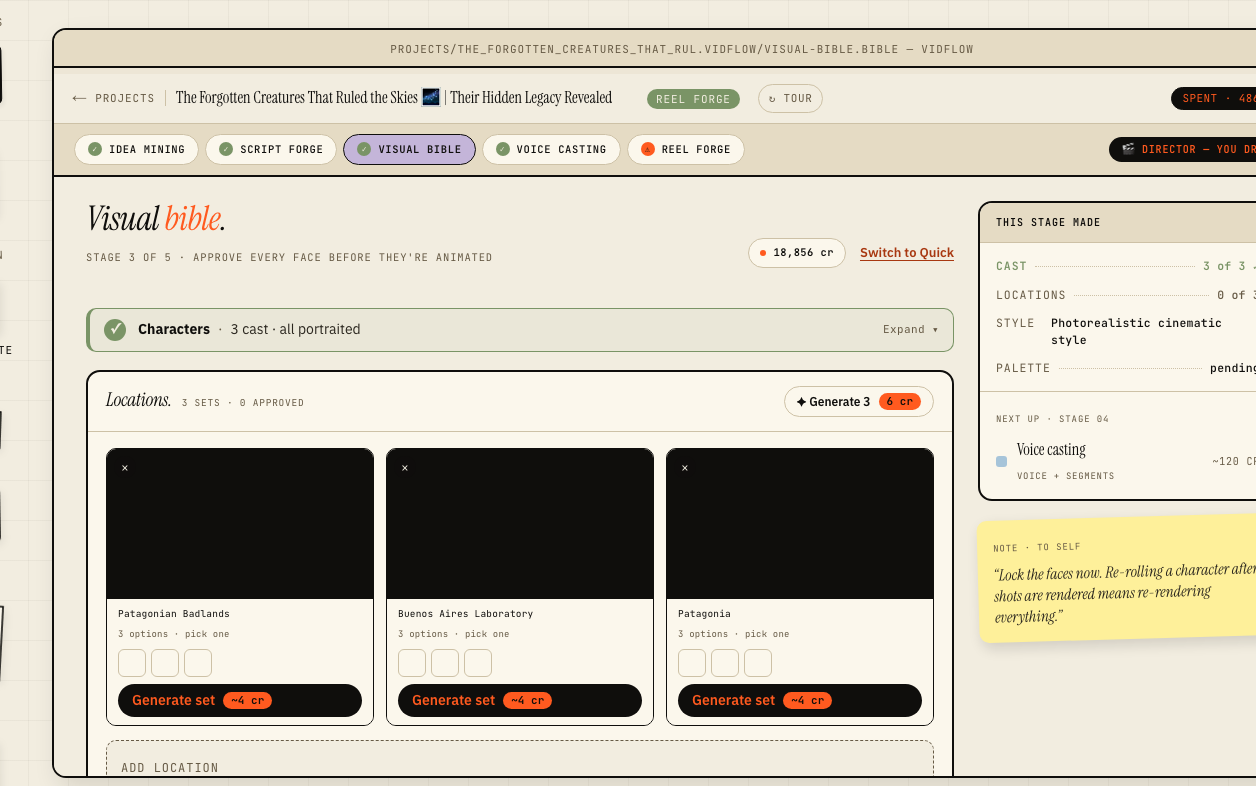
A Visual Bible is a project-specific style guide that defines the visual rules every frame of your video must follow. It is generated automatically from the video style you chose in the project wizard and the tone detected in your approved script, but every element is fully editable. A well-defined Visual Bible is what gives AI-generated shot images a cohesive, professional look rather than a random collection of images.
Colour Palette
The colour section specifies primary, secondary, accent, background, and text colours. The AI derives an initial palette from your chosen video style and any brand colours associated with your connected YouTube channel. You can swap any colour using the colour picker, and the preview panel on the right updates in real time to show how the palette applies to a sample frame.
- ›Primary colour — dominant UI and graphic elements
- ›Secondary colour — supporting elements and shadows
- ›Accent colour — call-to-action highlights
- ›Background colour — scene backgrounds
- ›Text colour — on-screen typography
Typography and Iconography
The typography section sets the heading and body typefaces used in all on-screen text, including lower-thirds and title cards. Choose from the curated font pairings or enter any Google Font name. The iconography section defines the stroke weight and corner radius of icons so that graphic elements feel unified across the whole video.
Character Design Principles
If your chosen video style includes illustrated characters (such as Stickman, 2D Cartoon, Anime, or Disney/Pixar), the Visual Bible includes a character design section describing proportions, facial expression vocabulary, and costume guidelines. These rules are fed directly to the image generation model in the Production stage to keep characters visually consistent from scene to scene.